Persona Chat
Persona Chat Guide
Overview
Once you've selected a persona, the chat interface allows you to have specialized conversations with that AI expert. This guide covers how to effectively communicate with personas and maximize the value of their specialized insights.
Starting a Persona Chat
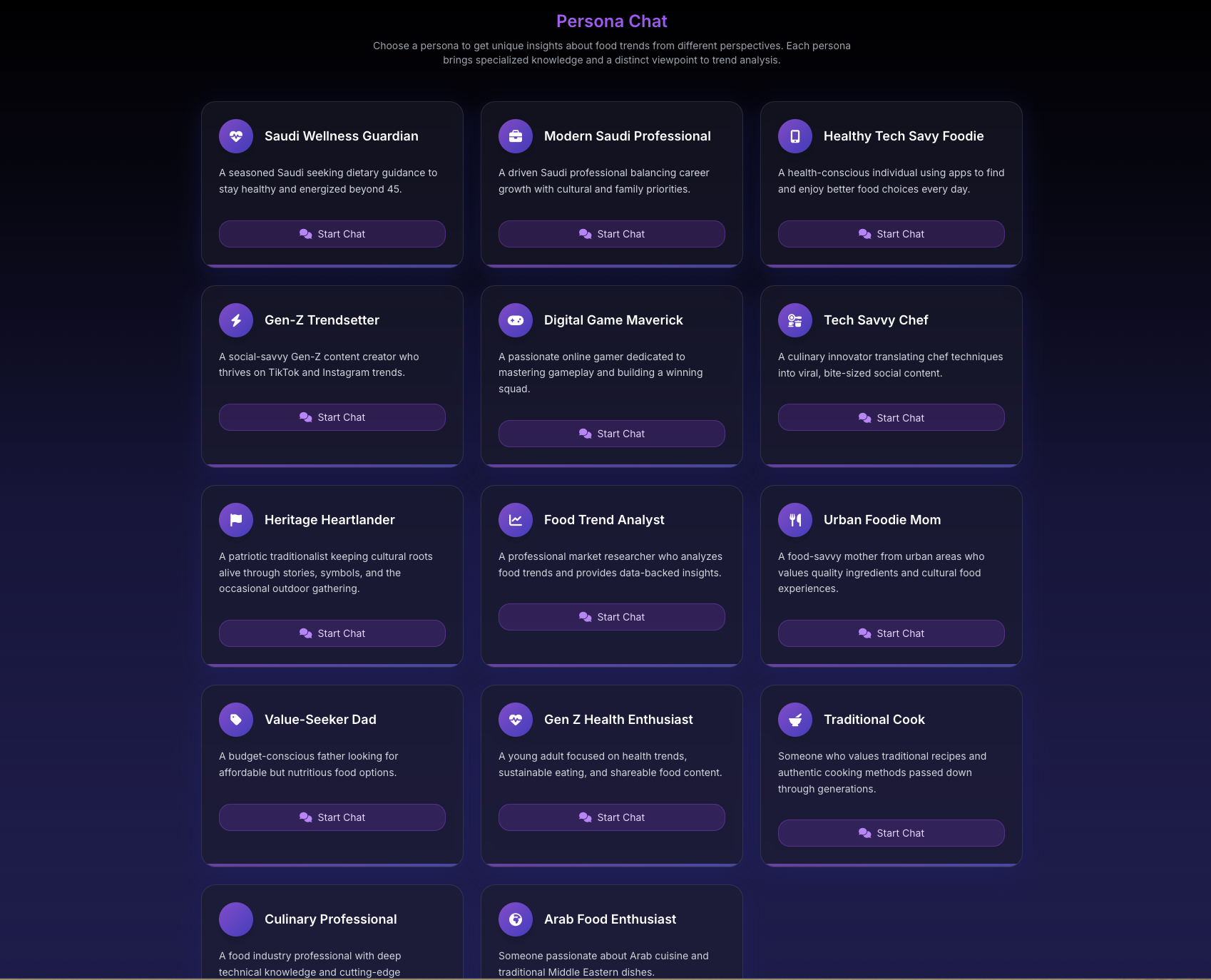
Initial Setup
- Select your persona from the Personas page
- System loads persona's expertise
- Chat interface opens with persona active
- Persona greeting or ready indicator appears
- Begin with your question
Persona Indicators
Look for these signs that a persona is active:
- Persona Name: Displayed at top of chat
- Avatar/Icon: Visual identifier
- Specialty Badge: Expertise indicator
- Introduction: Persona may introduce themselves
- Voice Indicator: Consistent communication style
Chat Interface with Personas
Enhanced Features
When using personas:
- Contextual Suggestions: Persona-specific prompts
- Relevant Examples: Industry/region appropriate
- Specialized Vocabulary: Professional terminology
- Targeted Data: Persona-relevant metrics
- Focused Responses: Within expertise area
Interface Elements
- Persona Badge: Shows active persona
- Switch Persona: Option to change
- Context Indicator: Shows conversation focus
- Expertise Reminder: What they know best
- Save Insights: Bookmark important responses
Communicating Effectively
Persona-Specific Communication
With Market Analyst
Language Style: Business-focused, metrics-driven Effective Queries:
- "What's the TAM for..."
- "ROI analysis of..."
- "Competitive positioning for..."
- "Market entry barriers..."
What to Expect:
- Financial metrics
- Market statistics
- Competitive analysis
- Business recommendations
With Trend Expert
Language Style: Pattern-focused, forward-looking Effective Queries:
- "Evolution of this trend..."
- "Emerging patterns in..."
- "Future trajectory of..."
- "Early signals showing..."
What to Expect:
- Trend lifecycles
- Pattern recognition
- Future predictions
- Innovation opportunities
With Consumer Psychologist
Language Style: Behavior-focused, empathetic Effective Queries:
- "Why do consumers choose..."
- "Emotional drivers behind..."
- "Demographic preferences for..."
- "Behavioral patterns in..."
What to Expect:
- Motivation analysis
- Behavioral insights
- Demographic breakdowns
- Psychological factors
With Regional Specialists
Language Style: Locally informed, culturally aware Effective Queries:
- "Local preferences in..."
- "Regional variations of..."
- "Cultural factors affecting..."
- "Market conditions in..."
What to Expect:
- Local market data
- Cultural insights
- Regional regulations
- Geographic variations
Advanced Conversation Techniques
Building Context
Personas remember context within conversation:
-
Set the Stage
- "I'm developing a product for..."
- "Our target market is..."
- "We're considering expansion to..."
-
Layer Information
- Start with overview
- Add specific details
- Build on responses
- Deepen analysis
-
Connect Topics
- Reference earlier points
- Ask follow-ups
- Request clarification
- Explore implications
Extracting Maximum Value
Ask for Frameworks
- "What framework would you use to analyze..."
- "How would you structure this decision..."
- "What methodology applies here..."
Request Specific Data
- "Can you quantify that..."
- "What metrics support this..."
- "Show me the data on..."
- "What are the numbers behind..."
Seek Recommendations
- "What would you recommend..."
- "Best practices for..."
- "Top priorities should be..."
- "Key success factors include..."
Explore Scenarios
- "What if we..."
- "How would this change if..."
- "What happens when..."
- "Consider the scenario where..."
Conversation Flow
Typical Persona Conversation Structure
-
Opening
- Introduce your context
- State your objective
- Ask initial question
-
Exploration
- Dive deeper into topic
- Ask clarifying questions
- Explore different angles
-
Analysis
- Request data/evidence
- Compare options
- Evaluate implications
-
Recommendations
- Ask for advice
- Prioritize actions
- Identify next steps
-
Closure
- Summarize insights
- Confirm understanding
- Save important points
Managing Long Conversations
Keep Focus
- Stay within persona expertise
- Maintain topic consistency
- Build on previous answers
- Avoid topic jumping
Organize Information
- Take notes of key points
- Save important responses
- Export critical data
- Bookmark conversation
Handle Complexity
- Break into smaller questions
- Address one aspect at a time
- Build understanding gradually
- Synthesize at the end
Persona-Specific Features
Market Analyst Tools
- Financial calculations
- Market sizing estimates
- Competitive matrices
- ROI projections
Trend Expert Capabilities
- Pattern identification
- Timeline projections
- Innovation mapping
- Signal detection
Consumer Psychologist Insights
- Behavioral segmentation
- Motivation mapping
- Preference analysis
- Decision journey modeling
Regional Specialist Knowledge
- Local market conditions
- Regulatory requirements
- Cultural considerations
- Distribution channels
Best Practices
Do's
Provide context about your situation Ask within their expertise area Build on their responses Request specific examples Save valuable insights
Don'ts
Ask outside their knowledge domain Expect different persona style Jump between unrelated topics Ignore their perspective Forget to save important responses
Tips for Better Results
Preparation
- Know what you need to learn
- Gather relevant background
- Prepare specific questions
- Set clear objectives
During Chat
- Be specific and clear
- Provide necessary context
- Ask follow-up questions
- Request clarification
- Validate understanding
After Chat
- Review key insights
- Save important data
- Export if needed
- Plan next steps
- Consider other personas
Handling Special Situations
When Persona Can't Answer
Reasons:
- Outside expertise area
- Too speculative
- Insufficient data
- Proprietary information
What to Do:
- Rephrase question
- Try different angle
- Switch to appropriate persona
- Narrow the scope
Getting Off-Track
Signs:
- Generic responses
- Losing persona voice
- Irrelevant information
Solutions:
- Refocus on expertise area
- Provide more context
- Start new conversation
- Switch personas
Disagreement with Persona
Remember:
- Personas offer perspective
- Based on their expertise
- One of many viewpoints
- Combine multiple insights
Actions:
- Note the perspective
- Try another persona
- Validate with data
- Make informed decision
Saving and Sharing Insights
During Conversation
- Click star icon on valuable responses
- Copy important text
- Screenshot key data
- Note recommendations
After Conversation
- Export full transcript
- Save to your files
- Share with team
- Create action items
Building Knowledge Base
- Organize by persona type
- Tag by topic/project
- Create insight library
- Reference in decisions
Combining Persona Insights
Multi-Persona Analysis
- Ask same question to different personas
- Compare responses
- Note agreements/differences
- Identify unique insights
- Synthesize findings
Creating Complete Picture
- Business view (Market Analyst)
- Future outlook (Trend Expert)
- User perspective (Consumer Psychologist)
- Local factors (Regional Specialist)
- Innovation angle (Innovation Strategist)
Troubleshooting Persona Chats
Persona Not Responding as Expected
- Verify correct persona selected
- Check question fits expertise
- Provide more context
- Try rephrasing
Want to Switch Personas
- Save current insights
- End conversation
- Return to selection
- Choose new persona
- Start fresh chat
Technical Issues
- Check connection
- Refresh if needed
- Clear browser cache
- Contact support