Basic Chat
Chat Interface Guide
Overview
The chat interface is your primary tool for exploring trends across all industries with AI-powered insights in Sila TrueTrends. Get instant analysis, predictions, and recommendations about emerging trends in technology, fashion, consumer goods, sustainability, healthcare, and more.
Accessing the Chat
Starting a New Conversation
- Click "Chat" in the sidebar navigation
- Or click "New Chat" button (+ icon)
- Or use the landing page's centered chat interface
Interface Layout
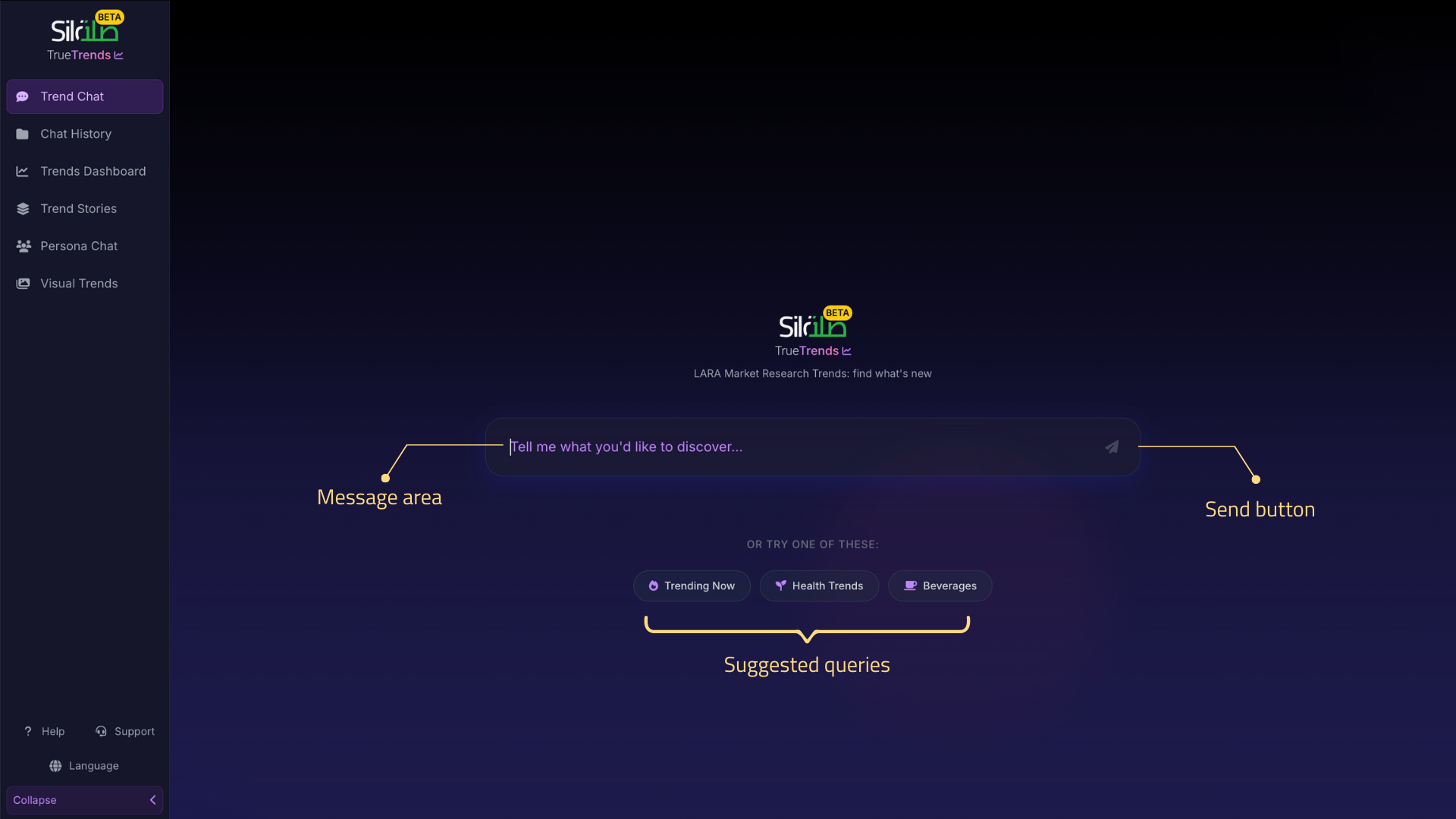 Chat interface showing message area, input field, suggested queries, and persona indicator
- Message Area: Central area showing the conversation
- Input Field: Bottom text area for typing messages
- Suggested Queries: Quick action buttons above input
- Send Button: Arrow icon or press Enter to send
Chat Features
Message Input
Auto-Expanding Text Area
- Starts as single line
- Automatically expands as you type
- Accommodates long messages
- Maximum height before scrolling
Sending Messages
 Different ways to send messages and use multi-line input
Methods:
- Press Enter to send
- Click the Send button (arrow icon)
- Use Shift+Enter for new line without sending
Message Formatting
You can use:
- Plain text for questions
- Multiple sentences or paragraphs
- Natural language - no special syntax needed
- Questions, statements, or commands
AI Assistant Responses
Response Format
Responses include:
- Structured text with clear sections
- Markdown formatting for readability
- Bullet points for lists
- Bold text for emphasis
- Links to related information (if requested by the user in the prompt)
Response Types
- Direct answers to questions
- Analysis and insights
- Trend summaries
- Recommendations
- Follow-up suggestions
Interactive Elements
Suggested Queries
Quick action buttons that appear:
- On landing page for trending topics
- After responses for follow-ups
- Based on context of conversation
How to use:
- Click any suggestion button
- It automatically sends that query
- Saves typing common questions
Related Posts
When discussing trends, you may see:
- Social media post examples
- Click to view details
- See engagement metrics
- Understand trend context
Conversation Management
During Conversation
Auto-Scroll Behavior
- Automatically scrolls to new messages
- Maintains position if you scroll up
- Returns to auto-scroll when at bottom
- Smooth scrolling animations
Loading States
While AI is thinking:
- Animated loading indicator appears
- "Thinking" or processing message
- Input temporarily disabled
- Can't send new message until response complete
Error Handling
If something goes wrong:
- Clear error message displayed
- Suggestion for what to try
- Option to retry
- Support contact if persistent
Conversation Persistence
Auto-Save
- All conversations save automatically
- No manual save needed
- Persists even if browser closes
- Can resume anytime
Conversation IDs
- Each conversation has unique ID
- Visible in URL when active
- Used to resume specific chats
- Share URL to share conversation (if permitted)
Effective Communication
Best Practices for Questions
Be Specific
Good:
- "What are the trending technologies in renewable energy?"
- "Show me growth trends for sustainable fashion in Q3"
- "Which gaming platforms are gaining popularity with Gen Z?"
- "What healthcare innovations are emerging in telemedicine?"
- "How is AI adoption trending in financial services?"
- "What luxury travel destinations are trending on social media?"
Less Effective:
- "Tell me about trends"
- "What's new?"
Provide Context
Good:
- "I'm developing a fintech app for millennials. What payment trends should I know?"
- "For a fashion brand launch in Asia, what streetwear styles are trending?"
- "What are the emerging technologies in electric vehicle manufacturing?"
- "Which wellness trends are gaining traction in corporate settings?"
- "How is Web3 gaming evolving in the creator economy?"
- "What sustainable beauty components are trending in skincare?"
Less Effective:
- "What's popular?"
- "Tell me about technology"
Use Follow-Ups
Build on previous responses:
- Start with broad question
- Ask for specific details
- Request examples
- Explore related areas
Types of Queries
Trend Analysis
- "What are the emerging trends in artificial intelligence and machine learning?"
- "How has the remote work trend evolved in tech companies?"
- "What's driving growth in sustainable fashion and circular economy?"
- "Which digital health and telehealth trends are gaining traction?"
- "What beauty and skincare components are trending in K-beauty?"
- "How are NFTs and blockchain trending in the art world?"
- "What real estate technology trends are emerging in smart homes?"
Comparison Queries
- "Compare TikTok growth with Instagram Reels in fashion influencer marketing"
- "What's the difference between Web3 gaming and metaverse social platforms?"
- "Is electric or hydrogen fuel growing faster in automotive innovation?"
- "Compare minimalist vs maximalist interior design trends"
- "Which is trending more: yoga wellness or HIIT fitness programs?"
- "How do fintech trends compare between Europe and Asia?"
- "Compare luxury fashion trends vs fast fashion movements"
Predictive Questions
- "What AI and automation trends are likely to emerge next?"
- "How will the creator economy develop across gaming and entertainment?"
- "What's the forecast for sustainable materials in fashion and packaging?"
- "Which consumer behaviors will shape retail and e-commerce in 2024?"
- "What interior design aesthetics are predicted to trend?"
- "How will healthcare technology evolve with wearables?"
- "What's the future of cryptocurrency and digital payments?"
Deep Dives
- "Explain the demographics behind sustainable fashion and eco-conscious shopping"
- "What drives consumer interest in personalized fitness and health tech?"
- "Show me sentiment analysis for AI adoption in enterprise software"
- "Which age groups prefer subscription services for entertainment and gaming?"
- "How do different regions approach digital wellness and mental health apps?"
- "What's the social sentiment around cryptocurrency and DeFi?"
- "How are luxury brands perceived across different social platforms?"
Advanced Features
Conversation Branching
- Each question creates a path
- Can explore multiple directions
- Return to earlier points
- Build comprehensive understanding
Context Awareness
The AI remembers:
- Previous questions in conversation
- Trends you've explored
- Your areas of interest
- Follow-up context
Multi-Turn Dialogue
Example flow:
- You: "What are trending technologies in renewable energy?"
- AI: [Lists trending renewable energy technologies]
- You: "Tell me more about solar panel innovations"
- AI: [Provides detailed analysis of solar technology trends]
- You: "What demographics are driving adoption?"
- AI: [Shows demographic breakdown and regional patterns]
Chat History
Accessing Previous Chats
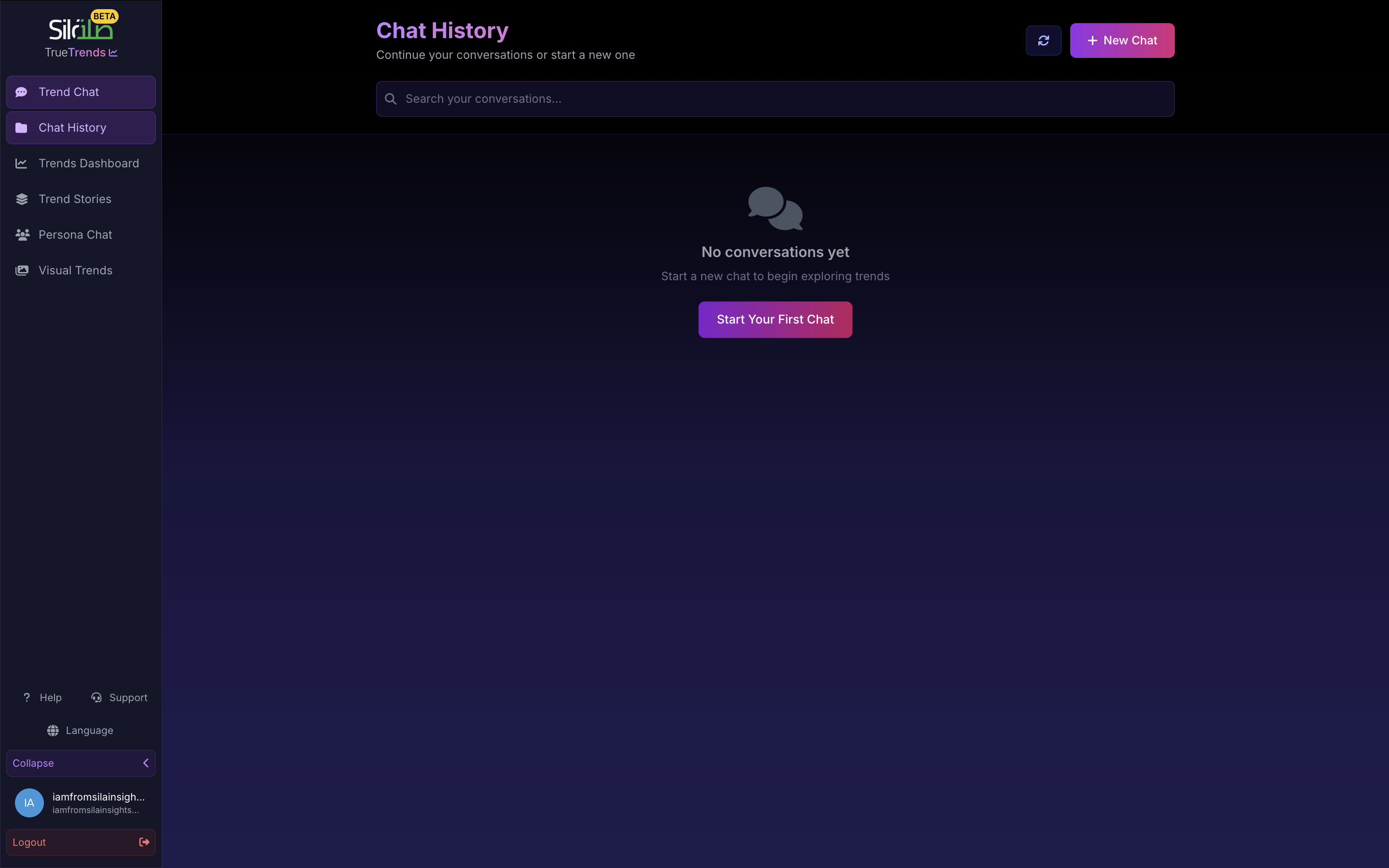
- Click "Chat History" in sidebar
- See all past conversations
- Search by keywords
- Filter by date
Resuming Conversations
- Click any conversation card
- Continues exactly where left off
- All context preserved
- Can ask follow-ups days later
Managing History
- Delete unwanted conversations
- Search through all chats
- Export important discussions
- Organize by topics (if available)
Tips and Tricks
Power User Tips
- Use precise language for better results
- Ask for examples to understand trends
- Request data when you need numbers
- Combine queries for comprehensive analysis
- Save important insights immediately
Time-Saving Techniques
- Use suggested queries to explore faster
- Copy useful responses for reports
- Bookmark conversations for quick access
- Build on previous questions efficiently
Getting Better Results
- Start broad, then narrow focus
- Ask "why" to understand drivers
- Request specific time periods
- Ask for visual examples
- Seek demographic breakdowns
Common Issues and Solutions
Chat Not Responding
Try:
- Check internet connection
- Refresh the page
- Wait a moment and retry
- Start new conversation
Responses Seem Off-Topic
Try:
- Rephrase your question
- Provide more context
- Be more specific
- Start fresh conversation
Can't See Previous Messages
Try:
- Scroll up in conversation
- Check chat history
- Ensure you're logged in
- Clear browser cache
Keyboard Shortcuts
- Enter: Send message
- Shift+Enter: New line in message
- Escape: Close any open modals
- Ctrl/Cmd+C: Copy selected text
- Ctrl/Cmd+V: Paste text
Mobile Chat Experience
Touch Optimizations
- Tap to focus input field
- Swipe to scroll messages
- Touch and hold to select text
- Pinch to zoom if needed
Mobile-Specific Features
- Keyboard appears automatically
- Voice input (device dependent)
- Responsive layout
- Optimized button sizes